
Tax preparation in Cumming for individuals and businesses
For tax preparation in Cumming, choose help for your actual personal or business filings, with a clear records and review process. A change of accounting system can create an additional reliability question. The software-conversion case below applies when that question exists, rather than making a system change a condition of obtaining ordinary tax help.
Individual tax preparation
Identify the years, household income sources and states involved before comparing personal quotes. Explain self-employment, rental or business-owner information and any missing statements. Agree how to deliver prior returns, current records, payment evidence and notices securely. Check whether the quoted service includes federal and Georgia preparation, any other-state work and questions arising during review.
A Cumming employee with investment income may need straightforward personal preparation without a business software project. An owner whose company recently converted systems needs a different records conversation: which entity figures are final, which remain provisional and who communicates corrections to the personal preparer? A new report's appearance does not settle those questions. Use the personal preparation guide for general filing steps and document preparation.
Confirm who prepares and reviews the personal return and how you review it before authorizing submission. Ask who checks acceptance, responds to a rejection and supplies payment instructions; identify who makes the payment. Keep completed copies and the filing result. Agree later correction and notice responsibilities and fees, especially if business records are corrected after preparation.
Basic assistance or private preparation
IRS VITA/TCE information and Georgia DOR tax-help resources are official starting points for possible basic assistance. Check eligibility, supported returns and tax years, appointments and seasonal operation with the actual site. Business books or conversion validation may fall outside the available service. For software options, compare federal and state charges separately. A private engagement should identify the work accepted, records assumed and fee additions before sensitive records are shared.
Business tax preparation
Tell the preparer the actual entity classification, owners, jurisdictions and years. Ask who reconciles books, checks payroll, assets and owner balances and resolves missing records. If systems changed, identify the cutover date and the person responsible for reconciling old and new reports. Separate conversion work, ongoing bookkeeping, company returns and personal owner filing in the written scope. Buying new software does not itself determine a tax-accounting method.
Name the preparer and reviewer and agree when final information reaches the owner or another accountant. Review the completed returns and unresolved issues before authorizing submission. Confirm who checks acceptance, resolves a rejection, communicates payment steps and supplies copies. An extension, electronic acceptance and actual payment are separate responsibilities. Ask what later correction or notice work is included and what costs extra. The business preparation guide covers the general company filing workflow.
Compare preparation and software-support roles
Slaughter & Associates describes personal and business returns, bookkeeping and cloud migration. Get Balanced CPA develops preparation and planning for service-based businesses, including more complex geographic situations; confirm the particular taxpayer and returns accepted. The saved Denise V. Holloway service passage describes QuickBooks setup, training, support and transaction review. That passage does not establish a third equivalent preparation package or an assurance opinion. Compare the actual work, handoffs and exclusions, and verify any credential or software designation separately. These descriptions do not establish current capacity or an FSI relationship.
Planning beyond the return
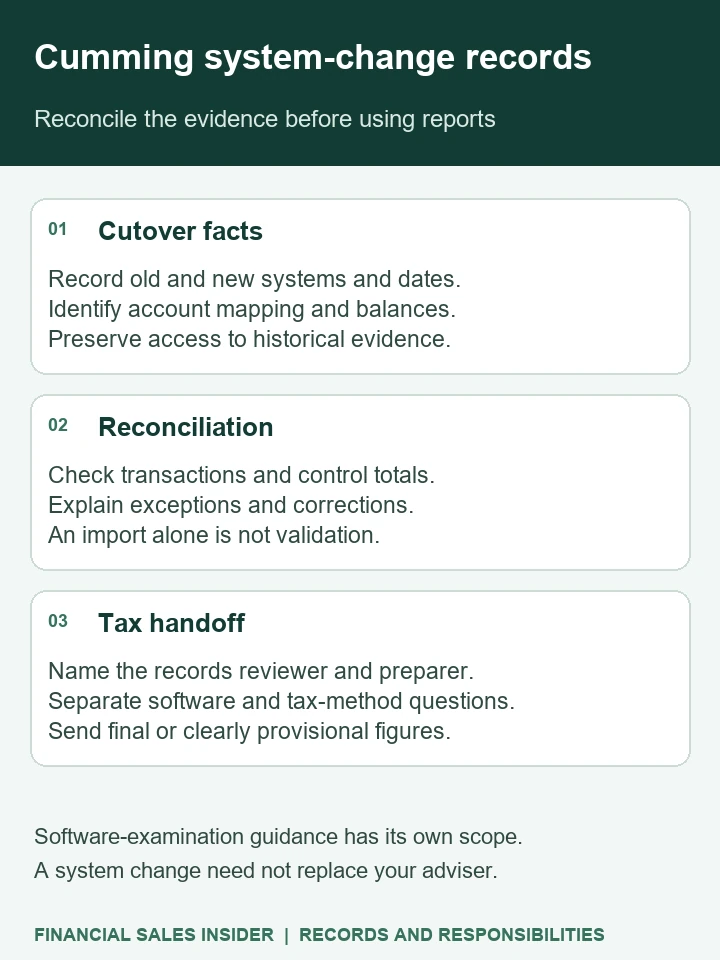
Software-examination guidance has its own scope. A system change need not replace your adviser.
Moving your company's accounts to a new system should leave you able to explain the figures on both sides of the change. Before commissioning a conversion in Cumming, establish what the professional will reconcile, which historical records will remain available and when the tax preparer can rely on the new reports.
This guide helps you evaluate the tax-record work around an actual system change.
Decide what the conversion engagement must prove
Slaughter & Associates' Cumming about page expressly describes helping clients move from desktop accounting applications to cloud solutions, alongside business and personal tax, bookkeeping and payroll services. [1] That is a relevant local offer to discuss, but the proposal still needs to define what a completed conversion means for your records.
Identify the businesses, systems, reporting periods and intended changeover date. Explain whether you expect historical transactions to move into the new system or whether some records will remain elsewhere. Ask the professional to state what is included, what stays outside the conversion and which tax records require separate attention.
A useful acceptance document should let you see what was transferred, how comparable figures were checked and which differences remain unresolved. Ask who prepares it and who reviews it. A successful import message or an attractive dashboard does not, by itself, explain the relationship between the old records and the new ones.
Ask for a cutover reconciliation before accepting the new figures
Request reports from the old and new systems for the same agreed date and basis. Ask the practitioner to explain the account mapping and reconcile the relevant balances. If account names or groupings changed, the comparison should make that visible rather than leave you comparing unlike totals.
Include the balances that matter to your operation, such as bank accounts, unpaid customer invoices, supplier amounts, owner accounts and relevant tax liabilities. Ask which supporting schedules are necessary and who checks them. The list should fit your business; this guide does not prescribe a universal conversion procedure.
For transactions around the changeover date, establish which system contains the entry and how duplicate or omitted activity will be identified. Ask how later adjustments to an earlier period are recorded and how the responsible preparer learns about them. Do not let an unexplained opening-balance entry conceal a difference that still needs investigation.
Denise V. Holloway's Cumming service page describes accounting-software selection and implementation, as well as QuickBooks setup, training, support and review. [2] Use a description like that to ask which work the proposal includes: installing or configuring software, reviewing transactions, or validating the specific conversion. Those services may connect, but their deliverables should be named.
Request an exception record with the amount or issue, source, proposed explanation and responsible reviewer. Agree which exceptions must be resolved before the new figures are used and how any remaining uncertainty will be described.
Keep historical evidence usable after the switch
The IRS says the requirements applying to paper business records also apply to electronic records. The electronic system must provide complete and accurate data accessible to the IRS. [4] Changing the place where you work therefore creates a practical question about continuing access to the evidence behind earlier figures.
Ask where the original accounting records, supporting documents and relevant backups will be held. Who controls access, who can open them and how will they be retrieved if needed? Identify any dependency on the former system, another provider or a subscription before assuming that a folder of exports preserves everything required.
Request a retrieval demonstration as part of the proposed work. Choose an earlier reporting period and ask the professional to show how a summarized figure can be examined using the records retained for it. Agree what the demonstration covers and record any limitation. This is a commissioning question, rather than a claim that a particular platform has a required feature.
In its guidance specifically about accounting-software records during Small Business/Self-Employed examinations, the IRS distinguishes an original accounting backup from selected reports converted to Excel. It explains that the latter do not allow the same testing of original electronic records. [5] That examination context is a reason to discuss preservation with the practitioner; it is not a direction to submit files, purge data or use a particular backup format now.
Keep the conversion separate from tax conclusions
Get Balanced CPA's Cumming tax page describes ongoing planning and preparation, including entity decisions, estimated payments and major purchases. [3] A continuing tax engagement can therefore be a separate purchase from the system conversion. Ask how the practitioner will confirm the records are ready for that work.
Provide the agreed reconciliation, unresolved exceptions and relevant tax schedules to the person responsible for the business return and projection. Ask whether any mapping or reclassification requires tax analysis before it enters the forecast. A new account label does not explain the tax treatment of the underlying transaction.
Distinguish a change in software from any proposed change in tax accounting treatment. Have the practitioner identify the actual question and required review. This guide does not determine an accounting method, deduction, amended return or tax liability.
You can prepare the wider planning records alongside the conversion evidence, then compare fees for the conversion and tax work. Separate import, reconciliation, historical access, training and ongoing tax services in the proposal. Confirm who accepts the completed work and who handles later questions.
Questions before commissioning the work
Does importing opening balances complete the tax-record assignment?
Do not assume it does. Ask what historical detail and supporting evidence remain accessible, how the starting balances reconcile and what limitations the professional identified. Completion should reflect the agreed scope and checks, rather than the import event alone.
Must I replace my tax adviser when changing systems?
That does not follow from a software change. Clarify which professional performs the conversion, who reviews its tax-record implications and what the existing adviser needs before using the new figures. Confirm their willingness and capacity to accept that work.
Define the records and professional roles
Describe your business, current and proposed systems, reporting periods and intended changeover date. Explain whether you need conversion validation, historical access, ongoing tax planning or several separately defined services. Fit, availability and engagement terms require confirmation.
Sources and scope
[1] Slaughter & Associates, service approach and cloud conversion. [2] Denise V. Holloway, services. [3] Get Balanced CPA, tax preparation and planning. [4] IRS, Recording business transactions. [5] IRS, Electronic accounting-software records questions and answers, examination context. Sources captured October 30, 2026. Provider descriptions are attributed observations, not recommendations, verified credentials, confirmed capacity or FSI partner status. Individual recordkeeping and tax requirements need professional review.
Preparation-choice sources: IRS Topic 254, IRS VITA/TCE, Georgia DOR tax help and Georgia individual filing, checked November 3, 2026 for the preparation and routing points above. Earlier specialist source dates and limitations remain as stated. Public provider descriptions do not establish current capacity, verified credentials or an FSI relationship.